Own productSaaS · Hospitality● Live

OpenSty

Direct booking websites for holiday rentals. 0% commission, 100% your guests: one link a host can share anywhere.

Role
Founder. Product, UX, UI and full-stack build
Timeline
February 2026 to now
Status
Live, self-serve subscriptions from €14 a month
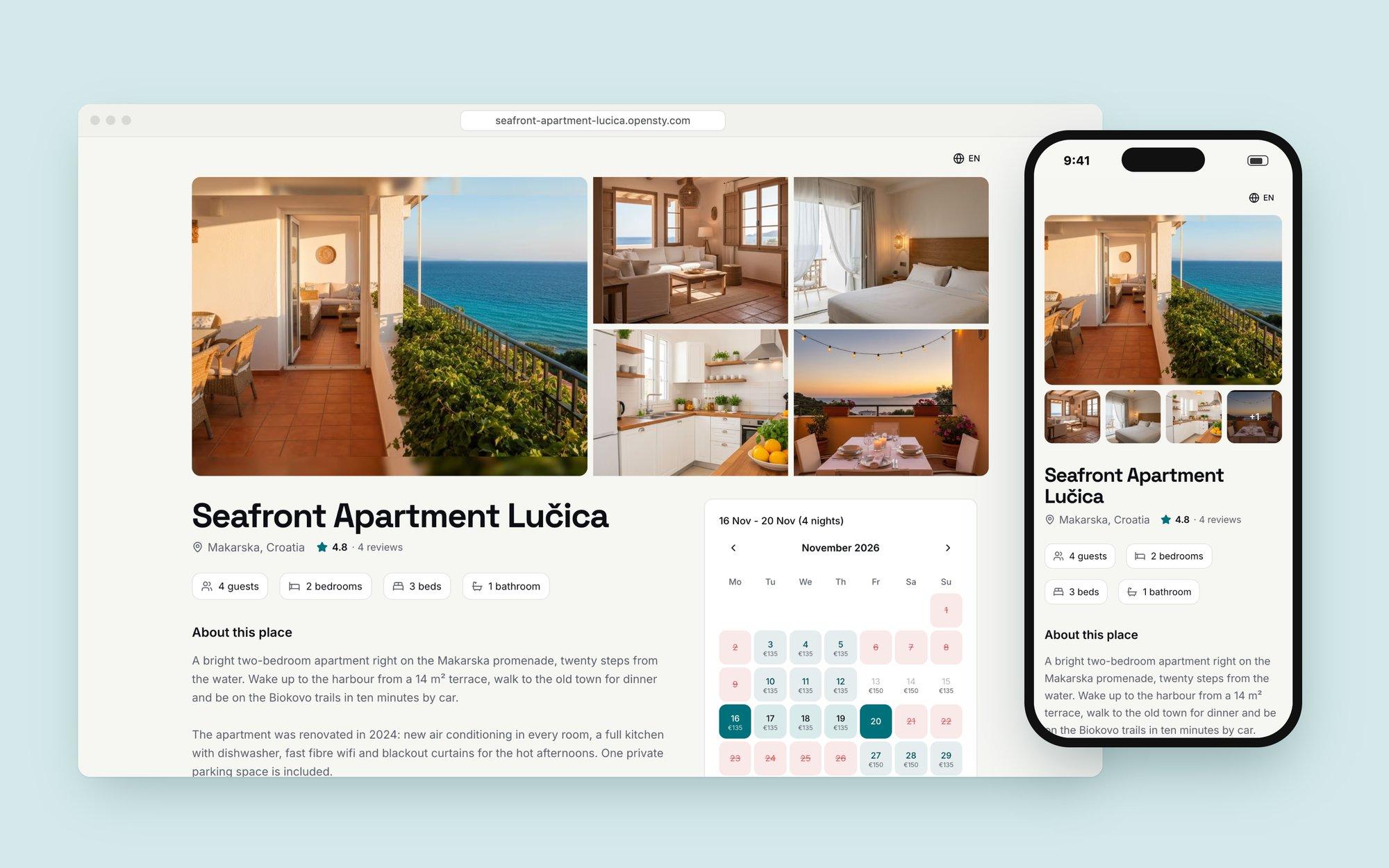
A guest booking site for Seafront Apartment Lučica on desktop and phone, with photo gallery, details and a live availability calendar
DesignedProduct strategy · Positioning · Pricing · UX & UI · Onboarding · Localisation
ShippedNext.js · TypeScript · Supabase · Stripe · next-intl · iCal sync
01 · The problem

Small hosts pay 15–20% for guests who already know them.

Repeat guests, friends of guests and people who find a host on Facebook or WhatsApp still get sent to a marketplace listing, because the host has nowhere else to point them. Booking engines exist, but they’re built for hotels and priced like it.

So the landing page leads with the money, not the features: the same guest and the same week, paid out two different ways.
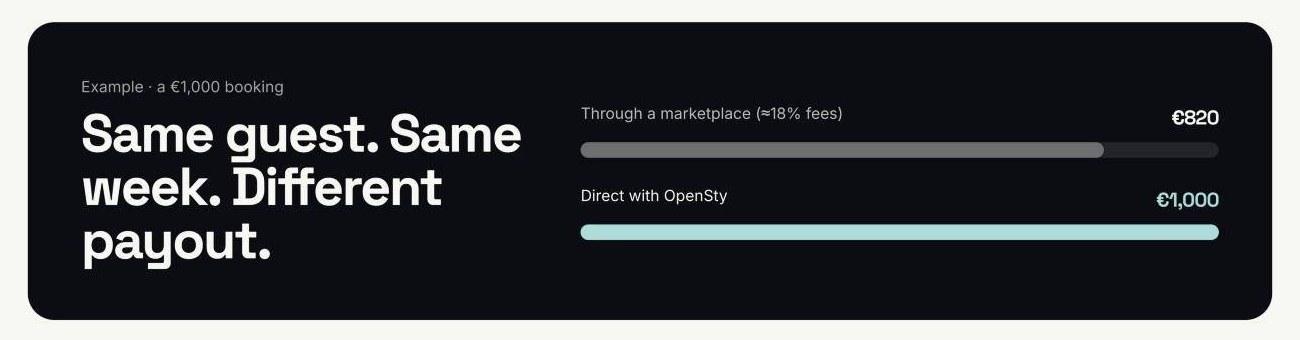
OpenSty payout comparison: a €1,000 booking pays €820 through a marketplace and €1,000 direct with OpenSty
Fig. 1 — The pitch in one picture: €820 through a marketplace, €1,000 direct.
02 · The bet

Not a website builder. One link that books.

The audience isn’t technical and doesn’t want to be. So every property gets its own booking site, with photos, a live calendar and a request form, at an address short enough to paste into a chat. Layout, translations and social previews are decided for the host.
Not thisTemplates, page builders and a domain to configure
Thisvilla-olive-breeze.opensty.com, live in under five minutes
Guest booking site
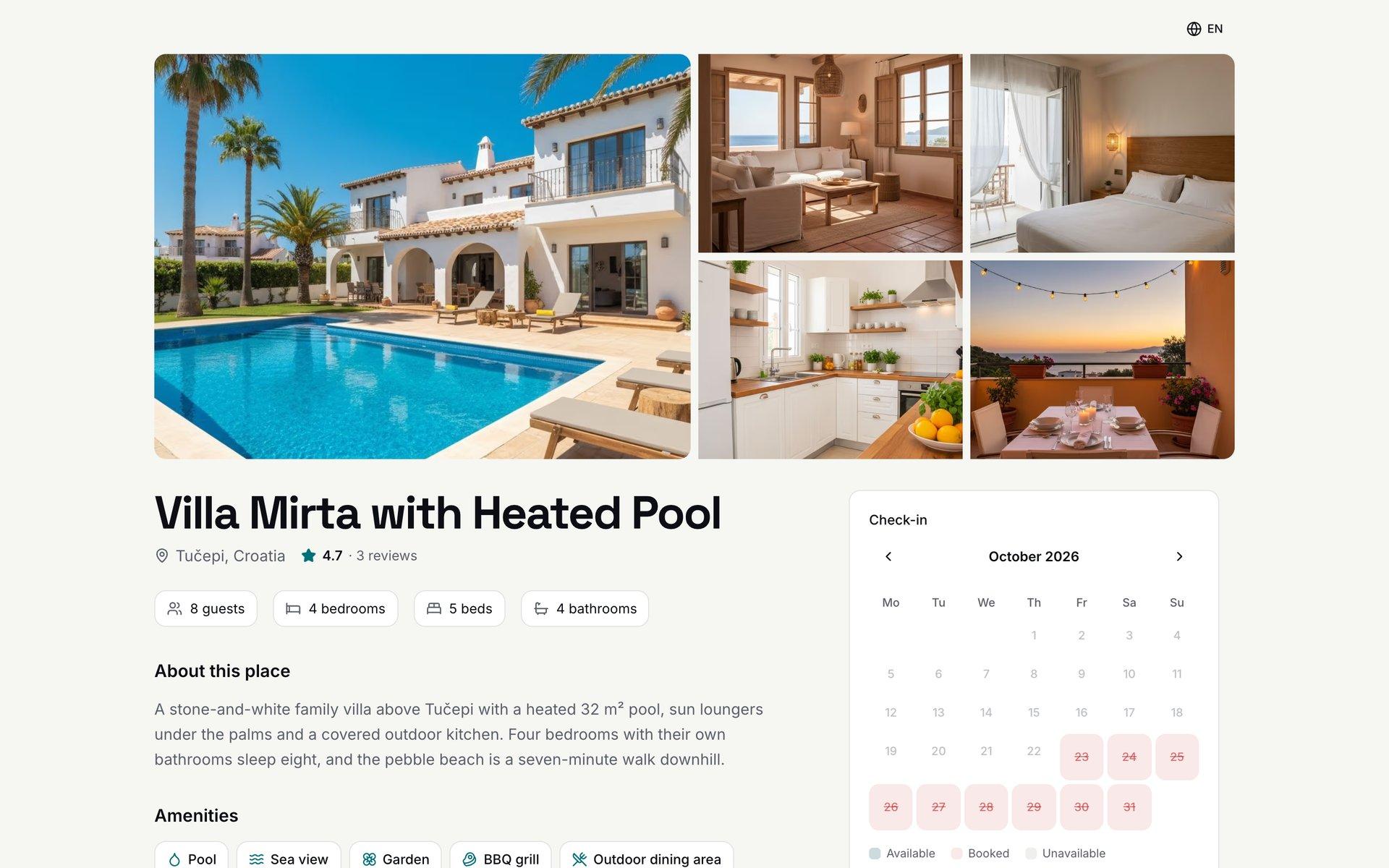
The guest-facing booking site for Villa Mirta with Heated Pool: photo gallery, property details and a live availability calendar
Fig. 2 — What a guest sees: gallery, details, and a live calendar with nightly prices beside the request form.
03 · How a host uses it

If you can post a photo on Facebook, you can set it up.

The whole product is four steps, designed so a host never needs help to get from sign-up to a first booking request.

  1. 01Create an accountName and email. No credit card, no commitment.
  2. 02Add the propertyPhotos, a description, a nightly price and the available dates.
  3. 03Share the linkPaste it into WhatsApp groups, a Facebook post or an Instagram bio.
  4. 04Confirm requestsGuests pick dates and send a request. The host confirms or declines and talks to them directly.
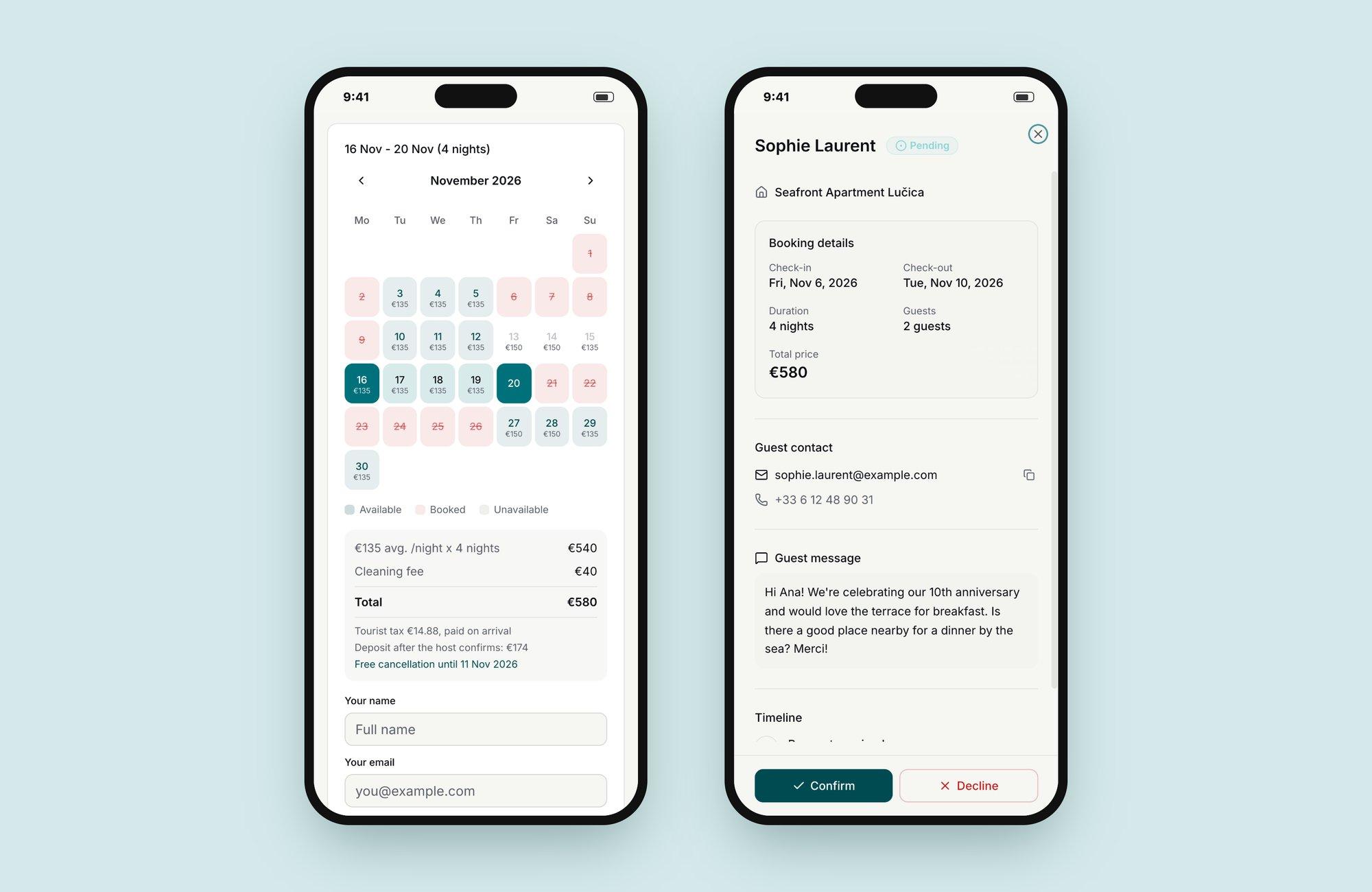
Example · Seafront Apartment Lučica, MakarskaA guest picks 6–10 November for two people and sees the full price, €580, before sending. The host reads her message and taps Confirm. No commission comes off it.
Sophie Laurent€580
6–10 Nov · 4 nights · 2 guests
Two phones: the guest picks dates and sees a €580 quote; the host sees Sophie Laurent's request with her message and Confirm or Decline
Fig. 3 — The guest asks, the host decides. Price, deposit and cancellation terms are clear before anyone commits.
04 · Design decisions

Everything the marketplace did. Minus the marketplace.
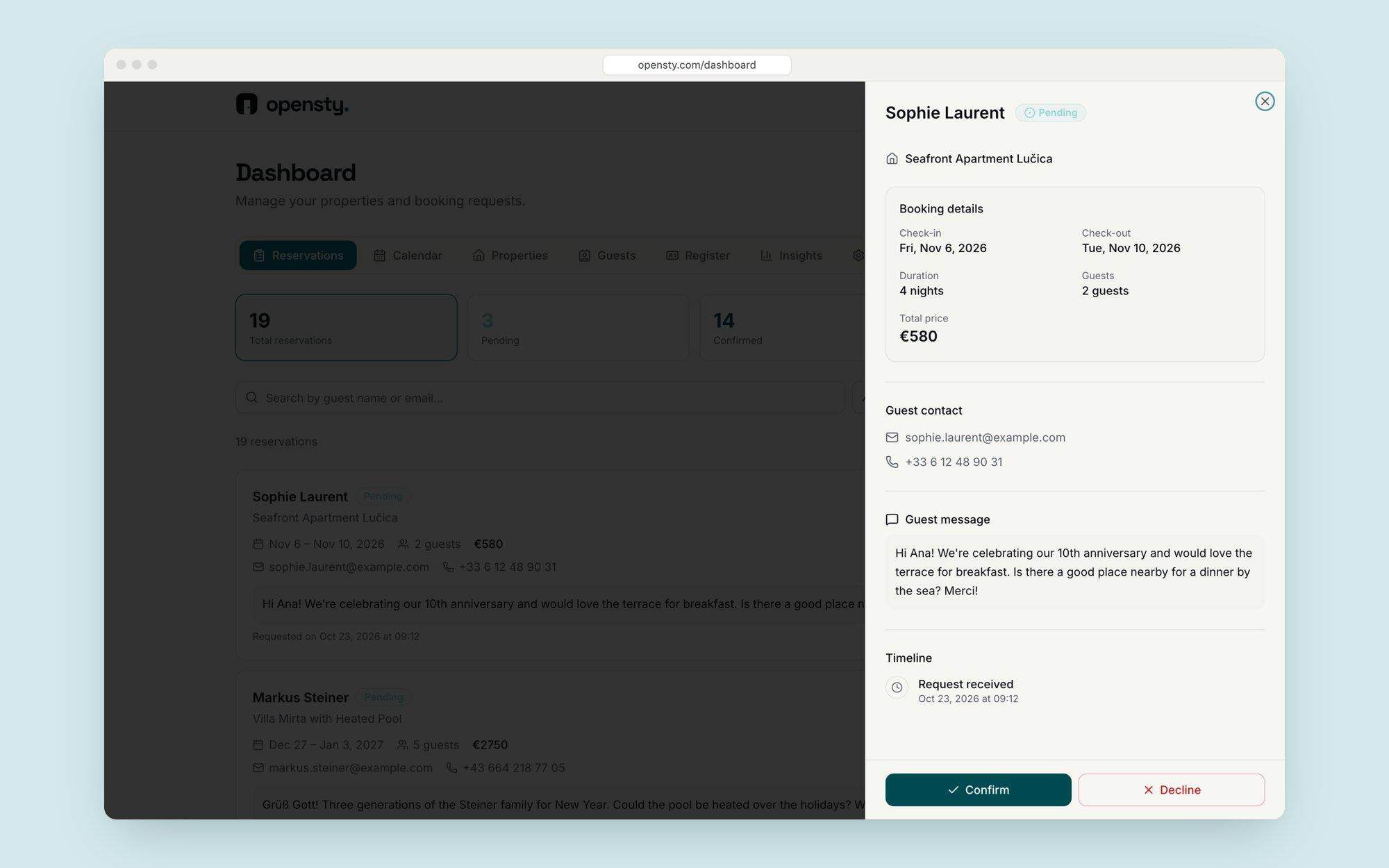
Requests, not instant bookingHosts review and confirm each request. It matches how small hosts already work and removes the fear of handing over control.
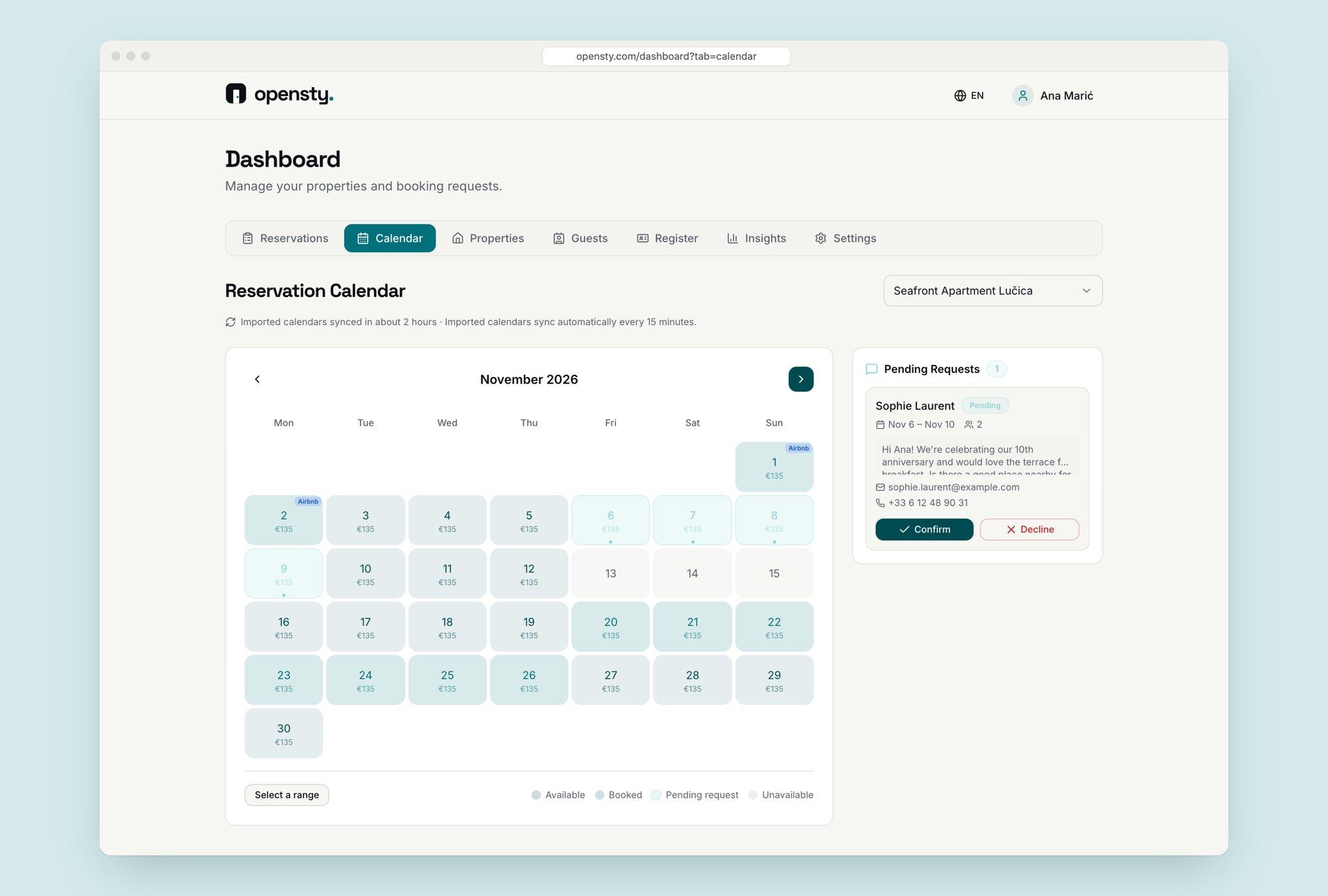
Calendar sync firstTwo-way sync with Airbnb and Booking.com blocks dates everywhere, so a direct page never causes a double booking.
Six languages by defaultGuests see the page in English, German, Italian, Spanish, Slovenian or Croatian, detected automatically.
Flat pricing, no cutA monthly subscription instead of a percentage. The comparison with marketplaces does the selling.
Host dashboard with a request opened in a side panel: booking details, guest contact, message, timeline, Confirm and Decline
Fig. 4 — Every request opens with dates, price, contact and message in one panel.
Reservation calendar for November with available, booked and pending days and a pending request beside it
Fig. 5 — One calendar for every channel, with pending requests next to the dates they’d take.
05 · The host side

A small back office, built for a phone and five minutes a day.

Behind each booking site is one dashboard: requests, calendar, properties, guests and numbers. Everything a host does daily works on a phone, the rarer jobs are one tab away.
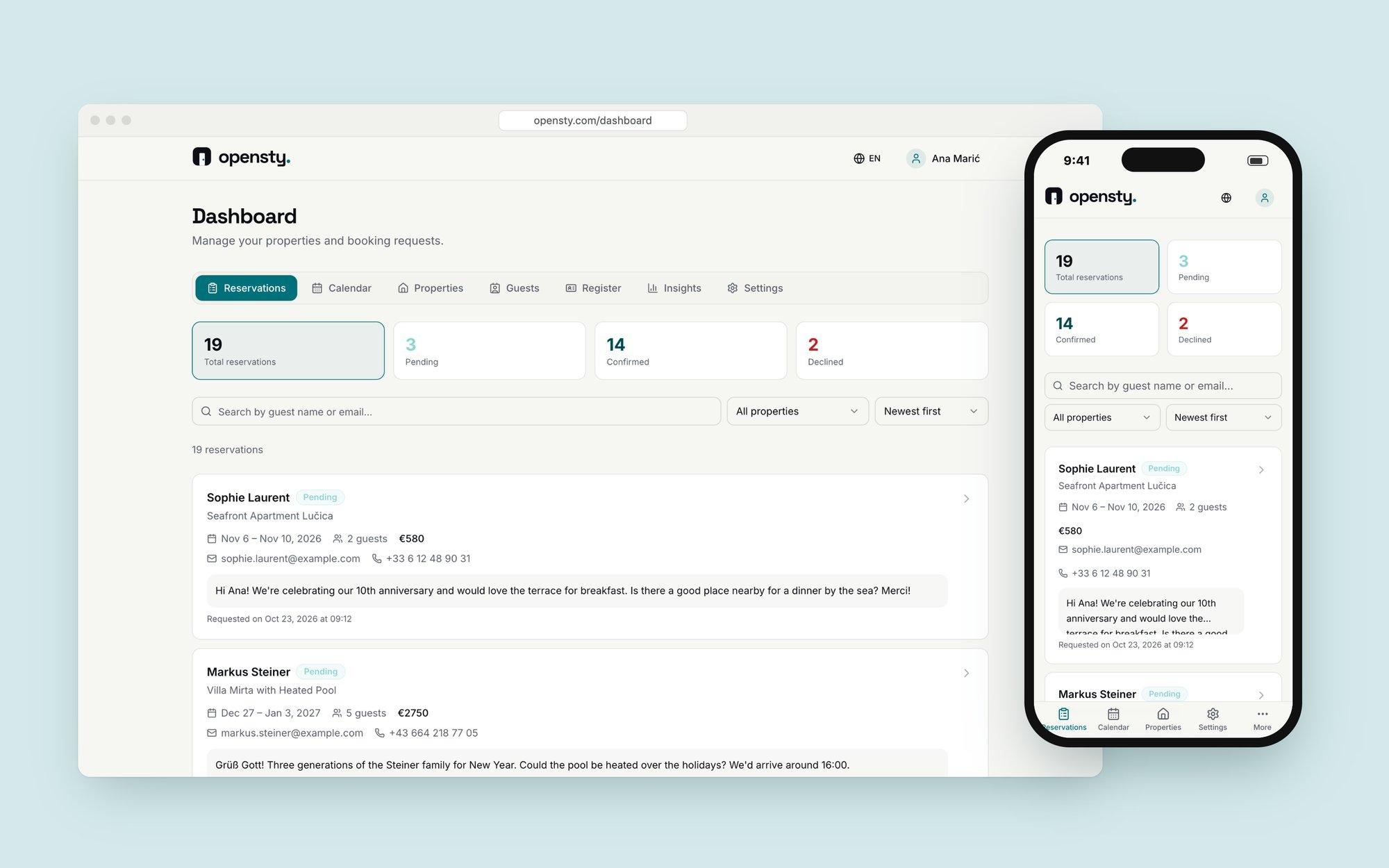
Host reservations inbox on desktop and phone: totals for confirmed, pending and declined, and a list of requests
Fig. 6 — The reservations inbox, the screen hosts open most, on desktop and phone.
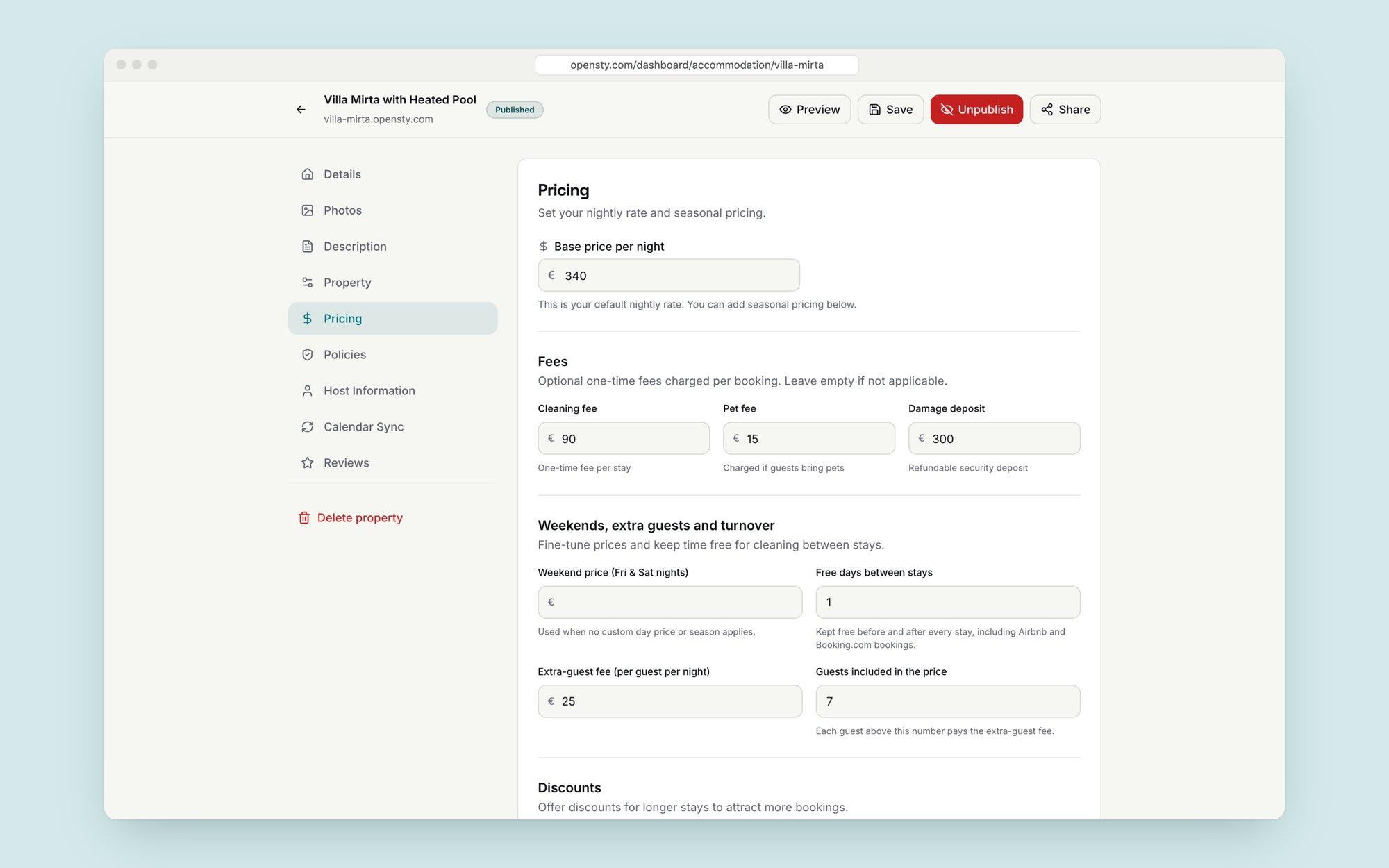
Property editor, pricing section: base price per night, cleaning fee, pet fee, damage deposit, weekend and extra guest pricing
Pricing in plain wordsNightly price, fees, deposit, weekends and extra guests, each with a hint of what the guest will see.
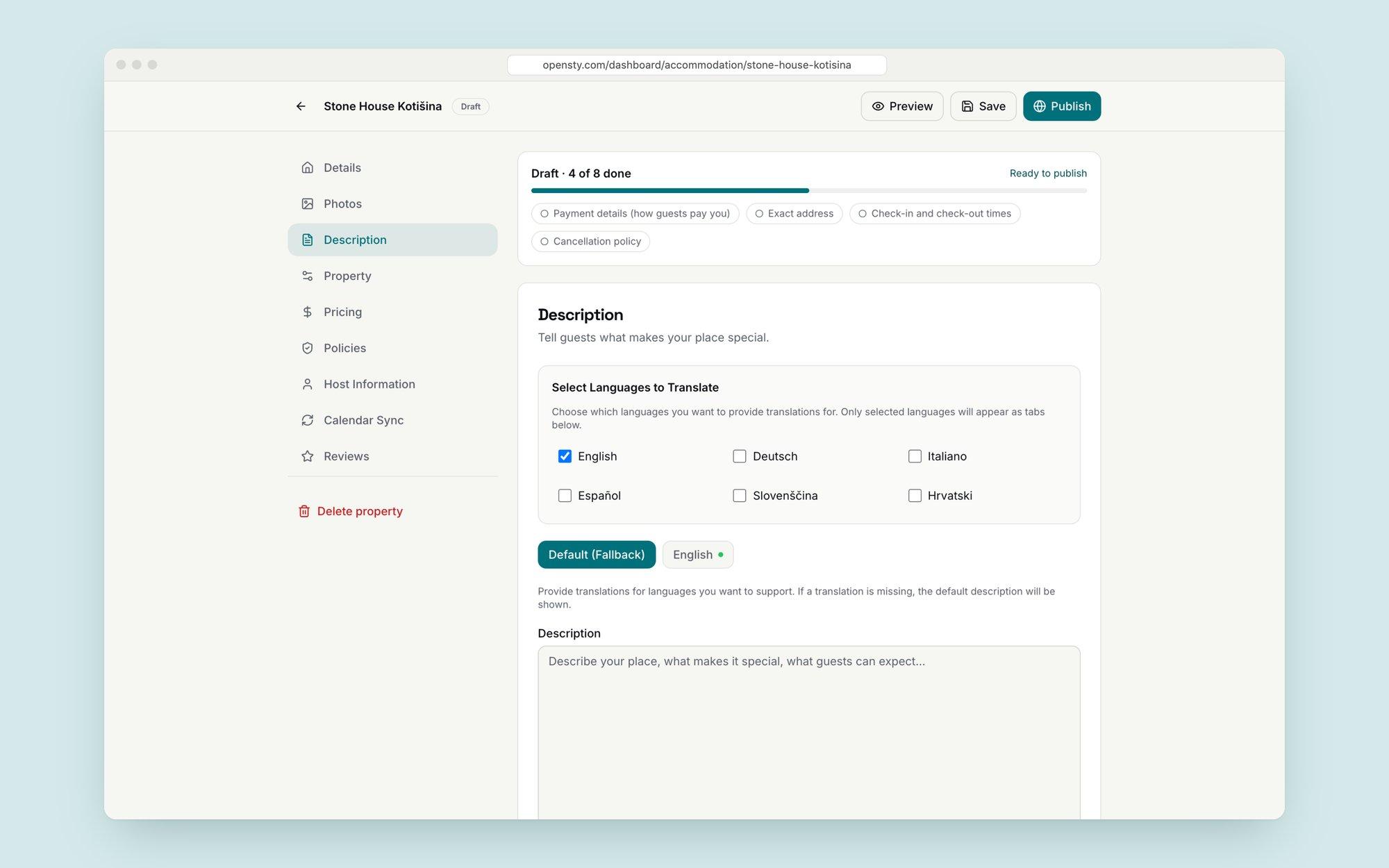
Property editor with a publish readiness checklist and language selection for translations
Ready to publishA draft shows what’s still missing before it can go live, so nobody publishes a half-empty page.
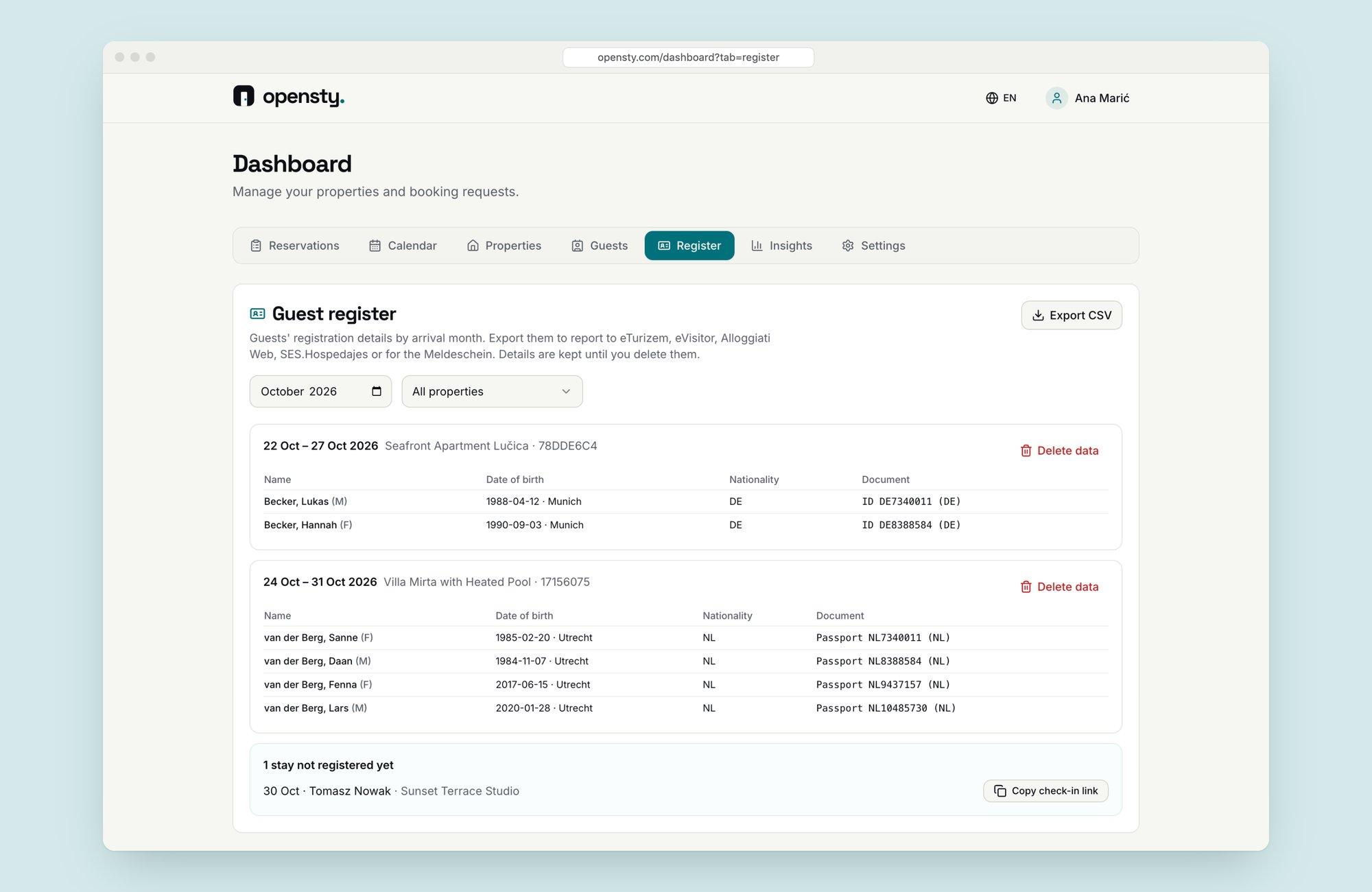
Guest register listing guests per stay with dates of birth, nationality and documents, plus CSV export
Guest registerThe paperwork local rules ask for, collected per stay and exported in one click.
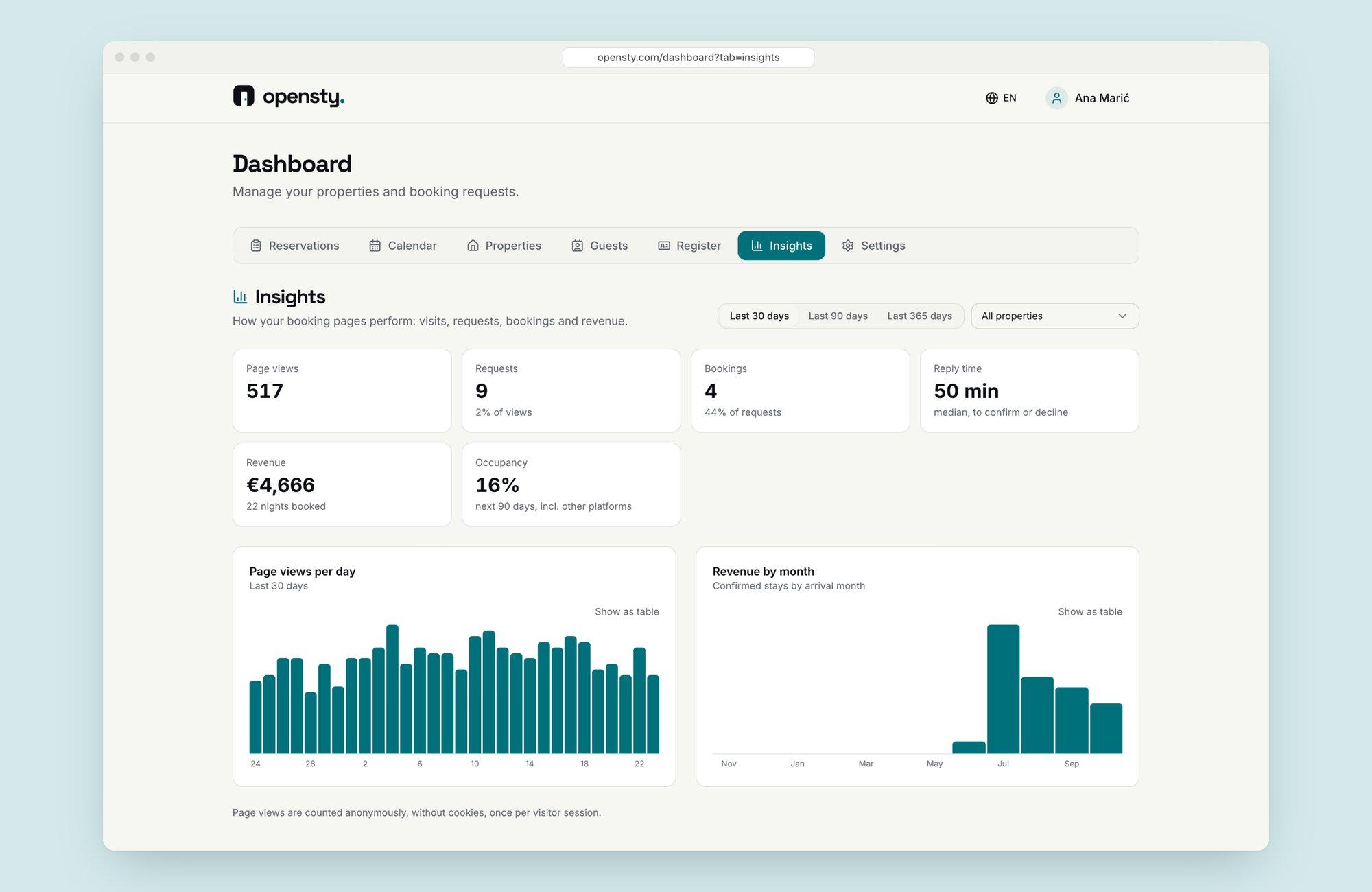
Insights: page views, requests, bookings, response time, revenue and conversion, with charts per day and month
InsightsViews, requests, bookings and revenue, so a host can see the direct channel paying off.
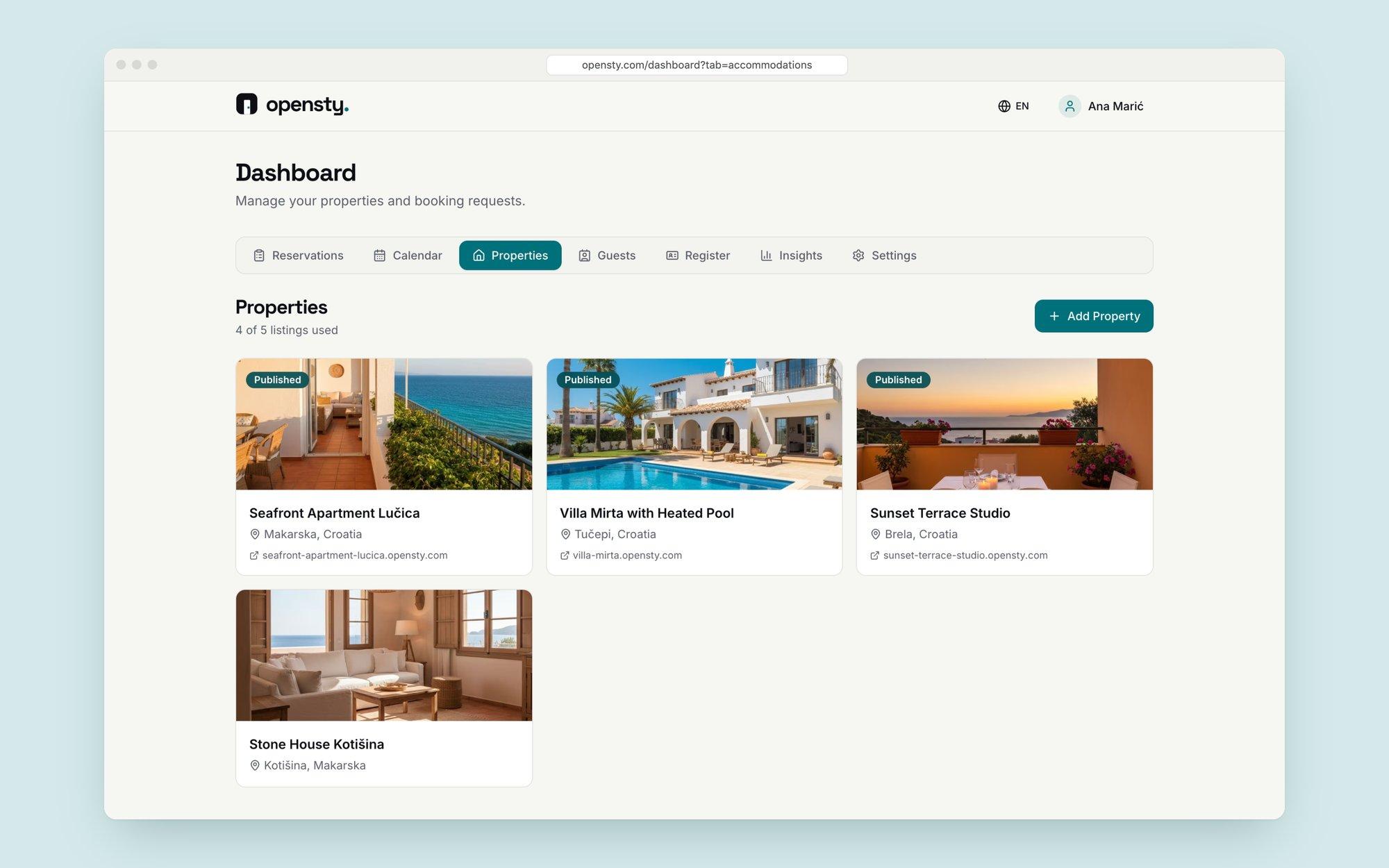
Properties overview with four listings, each with photo, location, status and its own booking link
Fig. 7 — Multiple properties, each with its own booking link, for hosts on the Pro and Agency plans.
06 · Where it is now

Live and fully self-serve. A host can sign up, publish a booking site and receive a request without talking to anyone.